
AQL Calculator
AQL Calculator and Sampling Tables for China QC and Amazon FBA
Free AQL calculator plus ANSI/ASQ Z1.4 Table A and Table B. Get the sample size and the accept (Ac) and reject (Re) numbers for a China inspection or an Amazon FBA shipment, then book a QIS inspection.
What AQL is
What AQL Is, and Why It Matters before Your Goods Leave China
AQL stands for Acceptable Quality Limit. It is the defect rate a buyer is willing to accept on a production lot, and it drives how many units an inspector checks and how many defects are allowed before the lot fails.
In practice, AQL is the difference between "we looked at the goods" and "we checked a defined sample against agreed limits." Without it, an inspection result is an opinion. With it, the result is a number you can act on: accept the lot, hold it, or rework and re-inspect before the container is loaded.
Two standards sit behind almost every inspection you will be quoted in China:
- ANSI/ASQ Z1.4 — the US sampling standard used by most third-party inspection companies and by Amazon sellers working with US buyers.
- ISO 2859-1 — the international equivalent. The tables are technically aligned, so a plan read from Z1.4 and one read from ISO 2859-1 give the same sample size and acceptance numbers.
An AQL plan has three inputs:
- Lot size — how many units are in the shipment or production batch.
- Inspection level — how much evidence you want relative to the lot (General I, II, III, or a Special level).
- AQL values per defect class — Critical, Major, Minor.
Change any one of them and the sample size or the accept/reject numbers change. That is why "what AQL do you use?" is not a complete question — the level and defect classes matter just as much.
For importers shipping to Amazon FBA, the stakes are concentrated: a lot that fails at the factory costs a rework cycle. A lot that fails inside Amazon's network costs inbound freight, storage, removal or disposal, plus the listing's review risk. Sampling before shipment is the cheapest point in the chain to find out.
On this page
The AQL Calculator and Sampling Tables on This Page
This page has three working parts:
- AQL Sampling Simulator — the interactive calculator. Enter lot size, inspection level and AQL values; it returns the code letter, sample size, and the accept (Ac) / reject (Re) numbers. It sits directly below this section, above Table A.
- Table A — lot size to code letter.
- Table B — code letter to sample size and Ac/Re for each AQL.
The sections below explain how to choose the inputs and how to read the output. The full tables stay on the page as reference; the excerpts here are only to show the reading logic.
If you would rather have QIS run the plan and the inspection, book a pre-shipment inspection and confirm the AQL values on the booking form.
Interactive Tool
AQL Sampling Simulator
Enter the order quantity, choose the inspection level and select AQL limits for critical, major and minor defects.
Critical Defects
Sample Size: 0
Accept Point: 0
Reject Point: 1
Major Defects
Sample Size: 0
Accept Point: 0
Reject Point: 1
Minor Defects
Sample Size: 0
Accept Point: 0
Reject Point: 1
Enter quantity to calculate the sample size and accept/reject points.
Inspection level
How to Choose an Inspection Level
Inspection level controls how much of the lot you sample before any AQL value is applied. Higher level means a larger sample and more ability to detect a bad lot, at a higher inspection cost.
General Inspection Level II — the Default
Level II is the industry default for consumer goods: apparel, homeware, electronics accessories, kitchen products, pet products, toys (with safety caveats), packaging, and most Amazon FBA shipments. If you have no specific reason to move, stay on Level II. It balances sample size against inspection time and is what most factory quotes assume.
General Inspection Level I — Less Evidence, Lower Cost
Level I samples roughly half of Level II. It suits:
- Low unit value, high volume, mature products with a stable history.
- Very large lots where Level II sampling would take longer than the inspection day allows.
- Situations where the real risk sits in labels or packaging rather than in the product itself.
Do not use Level I on a first order from a new factory, or on anything where a single functional failure triggers a return.
General Inspection Level III — More Evidence, Tighter Read
Level III samples roughly 1.6× Level II. It suits:
- High unit value or high margin goods.
- Safety-relevant products, or products with regulatory exposure.
- New suppliers, new tooling, or a first production run.
- A repeat order where the previous lot failed or came in borderline.
Special Levels S-1 to S-4 — Small Samples, Specific Use Cases
The four Special levels give much smaller samples than Level I. They are used when the test is destructive, expensive, or slow — for example, tearing down a unit, running a full function cycle, or lab-testing components — and when you accept weaker statistical confidence in exchange for feasible cost. Special levels are a deliberate trade, not a shortcut for routine pre-shipment checks.
Rule of thumb: Level II unless you can name the reason to move. Move up for risk, down for cost, and write the reason into the booking.
Critical, Major, Minor
How to Choose Critical, Major and Minor AQL
AQL is applied per defect class, not to the lot as a whole. Each class gets its own acceptance number, and the lot fails if any class exceeds its limit.
What the Three Classes Mean
- Critical — a defect that creates a safety, legal or regulatory hazard, or makes the product unusable and unsellable in a way that could injure someone: exposed live parts, sharp edges on a child's product, banned substances, missing safety warnings required by law, choking hazards.
- Major — a functional failure, or a cosmetic defect severe enough that the average buyer would return or complain: a motor that stalls, a seam that splits, a lid that does not seal, a large stain on a visible surface, a wrong colour against the approved sample.
- Minor — a deviation that does not affect function or saleability: light surface scuffs on a hidden panel, small colour variation within tolerance, loose threads, minor print misalignment.
Defaults for Many Consumer Goods
A common starting point for Amazon FBA and general consumer goods:
| Class | AQL | Meaning in practice |
|---|---|---|
| Critical | 0 | Zero acceptance — one critical defect fails the lot |
| Major | 2.5 | Up to 2.5% major defects tolerated at the acceptance point |
| Minor | 4.0 | Up to 4.0% minor defects tolerated at the acceptance point |
These are defaults, not rules. They are confirmed item by item in the QIS booking form, because the right numbers depend on the product, the price point, the channel and the consequence of a bad unit reaching the customer.
When to Tighten
Tighten (lower the AQL, or move to a stricter level) when:
- The product is safety-relevant, children's, electrical, or food-contact.
- You sell on Amazon and a defect wave risks listing suppression, negative reviews or returns above plan.
- The unit price is high, so a single failure is expensive.
- The supplier is new, or the previous lot failed or was borderline.
- The defect is hard to detect after import, or expensive to fix in-market.
When You Can Loosen
Loosen (raise the AQL, or move to Level I) when:
- The product is low-cost and low-risk, and the cost of a return is lower than the cost of inspection time.
- The defect is cosmetic and easily corrected by the customer, or the item is sold as a budget/seconds line.
- You have a long, clean history with the factory and the process is unchanged.
Loosening is a commercial decision, not a quality decision. Make it explicitly, and write it down — otherwise a factory will make it for you.
Table A
How to Read Table a (lot Size → Code letter)
Table A converts lot size into a code letter for your chosen inspection level.
Read it in three steps:
- Find the row where your lot size falls.
- Move across to the column for your inspection level.
- Note the letter.
Short excerpt — General Inspection Level II:
| Lot size | Code letter (Level II) |
|---|---|
| 2–8 | A |
| 501–1,200 | J |
| 1,201–3,200 | K |
| 3,201–10,000 | L |
| 10,001–35,000 | M |
Two things trip people up here:
- Lot size is not order quantity. If 4,000 units were ordered but only 3,000 are finished and packed on inspection day, the sample is calculated on the 3,000 actually available — or the inspection is limited to what can be sampled. Confirm finished quantity before the visit.
- The letter is not the sample size. The letter is a lookup key for Table B. This is the single most common misreading of AQL tables.
The full Table A — all levels, all lot ranges — remains on this page.
| Lot Size | General Inspection Levels | Special Inspection Levels | |||||
|---|---|---|---|---|---|---|---|
| I | II | III | S1 | S2 | S3 | S4 | |
| 2 to 8 | A | A | B | A | A | A | A |
| 9 to 15 | A | B | C | A | A | A | A |
| 16 to 25 | B | C | D | A | A | B | B |
| 26 to 50 | C | D | E | A | B | B | C |
| 51 to 90 | C | E | F | B | B | C | C |
| 91 to 150 | D | F | G | B | B | C | D |
| 151 to 280 | E | G | H | B | C | D | E |
| 281 to 500 | F | H | J | B | C | D | E |
| 501 to 1,200 | G | J | K | C | C | E | F |
| 1,201 to 3,200 | H | K | L | C | D | E | G |
| 3,201 to 10,000 | J | L | M | C | D | F | G |
| 10,001 to 35,000 | K | M | N | C | D | F | H |
| 35,001 to 150,000 | L | N | P | D | E | G | J |
| 150,001 to 500,000 | M | P | Q | D | E | G | J |
| 500,001 and over | N | Q | R | D | E | H | K |
Table B
How to Read Table B (code Letter → Sample Size and Ac/Re)
Table B converts the code letter into a sample size, then gives an Ac (accept) and Re (reject) number for each AQL value.
- Ac — the maximum number of defects allowed in the sample for the lot to pass.
- Re — the number of defects that fails the lot. In single sampling, Re is normally Ac + 1.
Short excerpt — code letter L:
| Code | Sample size | AQL 1.0 | AQL 1.5 | AQL 2.5 | AQL 4.0 |
|---|---|---|---|---|---|
| L | 200 | Ac 5 / Re 6 | Ac 7 / Re 8 | Ac 10 / Re 11 | Ac 14 / Re 15 |
Read across the row for your AQL. If your Major AQL is 2.5 and your code is L, you inspect 200 units and accept the lot at 10 major defects or fewer; 11 or more fails it.
Sample sizes by code letter, for orientation: A = 2, B = 3, C = 5, D = 8, E = 13, F = 20, G = 32, H = 50, J = 80, K = 125, L = 200, M = 315, N = 500.
The full Table B stays on this page, including the arrowed cells where the standard redirects you to a different sample size.
| Code | Sample Size | 0.065 | 0.10 | 0.15 | 0.25 | 0.40 | 0.65 | 1.0 | 1.5 | 2.5 | 4.0 | 6.5 | |||||||||||
|---|---|---|---|---|---|---|---|---|---|---|---|---|---|---|---|---|---|---|---|---|---|---|---|
| Ac | Re | Ac | Re | Ac | Re | Ac | Re | Ac | Re | Ac | Re | Ac | Re | Ac | Re | Ac | Re | Ac | Re | Ac | Re | ||
| A | 2 | 0 | 1 | 0 | 1 | 0 | 1 | 0 | 1 | 0 | 1 | 0 | 1 | 0 | 1 | 0 | 1 | 0 | 1 | 0 | 1 | 0 | 1 |
| B | 3 | 0 | 1 | 0 | 1 | 0 | 1 | 0 | 1 | 0 | 1 | 0 | 1 | 0 | 1 | 0 | 1 | 0 | 1 | 0 | 1 | 0 | 1 |
| C | 5 | 0 | 1 | 0 | 1 | 0 | 1 | 0 | 1 | 0 | 1 | 0 | 1 | 0 | 1 | 0 | 1 | 0 | 1 | 0 | 1 | 1 | 2 |
| D | 8 | 0 | 1 | 0 | 1 | 0 | 1 | 0 | 1 | 0 | 1 | 0 | 1 | 0 | 1 | 0 | 1 | 1 | 2 | 1 | 2 | 2 | 3 |
| E | 13 | 0 | 1 | 0 | 1 | 0 | 1 | 0 | 1 | 0 | 1 | 0 | 1 | 0 | 1 | 0 | 1 | 1 | 2 | 1 | 2 | 2 | 3 |
| F | 20 | 0 | 1 | 0 | 1 | 0 | 1 | 0 | 1 | 0 | 1 | 0 | 1 | 0 | 1 | 1 | 2 | 1 | 2 | 2 | 3 | 3 | 4 |
| G | 32 | 0 | 1 | 0 | 1 | 0 | 1 | 0 | 1 | 0 | 1 | 0 | 1 | 1 | 2 | 1 | 2 | 2 | 3 | 3 | 4 | 5 | 6 |
| H | 50 | 0 | 1 | 0 | 1 | 0 | 1 | 0 | 1 | 0 | 1 | 1 | 2 | 1 | 2 | 2 | 3 | 3 | 4 | 5 | 6 | 7 | 8 |
| J | 80 | 0 | 1 | 0 | 1 | 0 | 1 | 0 | 1 | 1 | 2 | 1 | 2 | 2 | 3 | 3 | 4 | 5 | 6 | 7 | 8 | 10 | 11 |
| K | 125 | 0 | 1 | 0 | 1 | 0 | 1 | 1 | 2 | 1 | 2 | 2 | 3 | 3 | 4 | 5 | 6 | 7 | 8 | 10 | 11 | 14 | 15 |
| L | 200 | 0 | 1 | 0 | 1 | 1 | 2 | 1 | 2 | 2 | 3 | 3 | 4 | 5 | 6 | 7 | 8 | 10 | 11 | 14 | 15 | 21 | 22 |
| M | 315 | 0 | 1 | 1 | 2 | 1 | 2 | 2 | 3 | 3 | 4 | 5 | 6 | 7 | 8 | 10 | 11 | 14 | 15 | 21 | 22 | 21 | 22 |
| N | 500 | 1 | 2 | 1 | 2 | 2 | 3 | 3 | 4 | 5 | 6 | 7 | 8 | 10 | 11 | 14 | 15 | 21 | 22 | 21 | 22 | 21 | 22 |
| P | 800 | 1 | 2 | 2 | 3 | 3 | 4 | 5 | 6 | 7 | 8 | 10 | 11 | 14 | 15 | 21 | 22 | 21 | 22 | 21 | 22 | 21 | 22 |
| Q | 1250 | 2 | 3 | 3 | 4 | 5 | 6 | 7 | 8 | 10 | 11 | 14 | 15 | 21 | 22 | 21 | 22 | 21 | 22 | 21 | 22 | 21 | 22 |
| R | 2000 | 3 | 4 | 5 | 6 | 7 | 8 | 10 | 11 | 14 | 15 | 21 | 22 | 21 | 22 | 21 | 22 | 21 | 22 | 21 | 22 | 21 | 22 |
Note: The table is provided for normal single sampling reference. For formal inspection, QIS will apply the inspection level, AQL limits and any product-specific checklist confirmed in the booking form.
Worked example
Worked Example: 4,000 Units at General Level II
This is the case most FBA sellers meet on a first or second order.
Inputs
- Lot size: 4,000 units
- Inspection level: General II
- Critical 0, Major 2.5, Minor 4.0
Step 1 — Table A. 4,000 falls in the 3,201–10,000 row. At General Level II the code letter is L.
Step 2 — Table B. Code L gives a sample size of 200 units.
Step 3 — read the acceptance numbers at n = 200.
| Class | AQL | Ac | Re | Decision rule |
|---|---|---|---|---|
| Critical | 0 | 0 | 1 | Any critical defect fails the lot |
| Major | 2.5 | 10 | 11 | 10 or fewer pass; 11 or more fail |
| Minor | 4.0 | 14 | 15 | 14 or fewer pass; 15 or more fail |
Result. The inspector checks 200 randomly drawn units. If the sample shows 9 major and 12 minor defects, with no criticals, the lot passes (9 ≤ 10, 12 ≤ 14). If it shows 11 major defects, the lot fails on Major even if Minor is clean.
That is the whole mechanic: two lookups and three comparisons. The calculator on this page does the same arithmetic — the tables are there so you can check it and so you can read a plan a factory or another buyer sends you.
Limits of AQL
What AQL Does Not Tell You
AQL is a sampling system, so it carries sampling risk. It is designed so that a lot sitting exactly at the AQL has a high probability of acceptance — roughly 95% under normal single sampling — which also means a lot at the AQL will occasionally be rejected, and a lot worse than the AQL will occasionally be accepted. That is the trade you make for not inspecting every unit.
Three practical consequences:
- AQL is not a guarantee of zero defects. It is a decision rule about the lot, not a promise about individual units.
- A PASS is not "no defects found." It means the defect count was within the agreed limits.
- Small samples prove less. A Special level or a very small lot gives a thin read. If the consequence of a bad unit is severe, raise the level or move to 100% inspection rather than relying on a small sample.
Anyone who tells you an AQL plan "guarantees" quality is selling you the wrong thing.
Sampling vs sorting
AQL Sampling vs 100% Inspection and Sorting
These solve different problems. Sampling estimates the lot; 100% inspection sorts the lot.
Use AQL sampling when:
- The lot is large and the process is reasonably stable.
- You need a cost-effective, repeatable go/no-go before shipment.
- Defects are detectable by visual and functional checks within the inspection day.
- You want a documented, standards-based result you can put in front of a buyer or a supplier.
Use 100% inspection (or 100% sorting after a failed AQL) when:
- The product is safety-critical or high value, and a single escape is unacceptable.
- A previous AQL inspection failed and the factory has reworked the lot — you need every unit checked, not a sample.
- The lot is small enough that checking everything is feasible in the time available.
- The defect is intermittent and hard to catch in a 200-unit sample.
- Amazon or your buyer requires unit-level verification, such as every FNSKU label checked.
Use both, in sequence, when the risk justifies it: AQL first to decide whether the lot is broadly sound, then 100% sorting on the failed class only. This is usually cheaper than sorting everything and more reliable than re-sampling a reworked lot without checking the rework.
For FBA, the practical split is often: AQL for product quality, 100% for labels and cartons — because a mislabeled unit is a guaranteed chargeback or a blocked receipt, not a statistical risk.
On site
How QIS Applies AQL on Site
The plan is only as good as its execution. Here is the sequence QIS follows, and what you receive at each step.
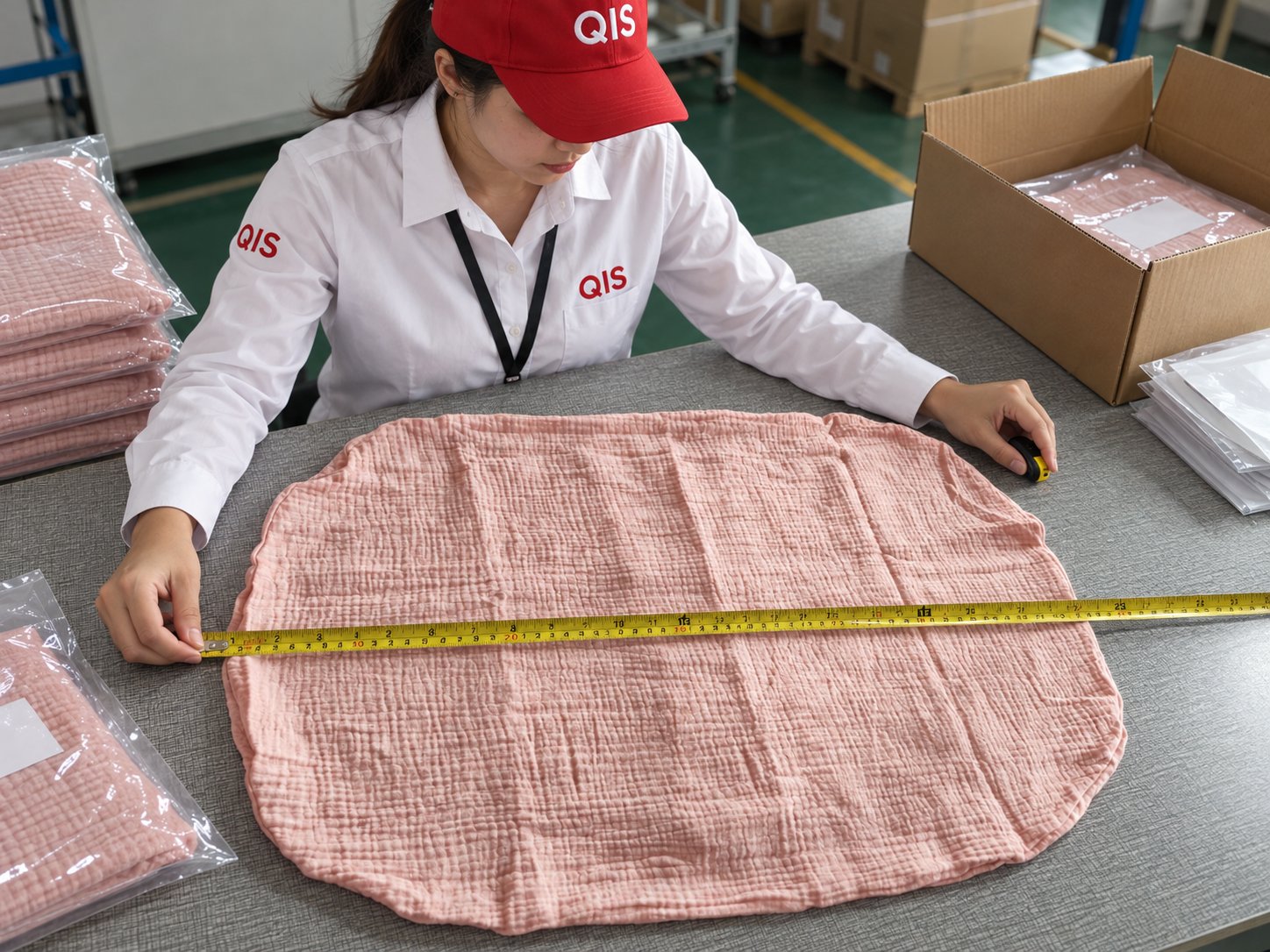
- Booking and criteria confirmation. You confirm product, SKU list, lot quantity, inspection level and AQL values (Critical / Major / Minor) in the booking form. Anything ambiguous — tolerances, approved sample, packaging spec, label artwork — is pinned down before the inspector is dispatched. This is the step that prevents "the factory says that's normal" conversations later.
- Arrival and production status check. The inspector confirms how many units are actually finished, packed and available, and whether the line is still running. Sampling a lot that is 60% complete gives a read on a different lot than the one that will ship.
- Random sampling. Units are drawn at random across cartons and pallets — not selected by the factory. The inspector records which cartons were opened so the sample is traceable. A factory-selected "good box" defeats the entire method.
- Inspection against the checklist. Each sampled unit is checked for the agreed points: function, dimensions, materials, finish, assembly, accessories, labeling, packaging. Measurements are recorded, not estimated.
- Defect classification. Every defect found is recorded and classified as Critical, Major or Minor against the agreed definitions. This is where a clear booking pays off: a scratched panel is Minor on a hidden face and Major on the front of a retail box.
- Count against Ac/Re → PASS / FAIL / HOLD. The defect counts are compared with the plan. The outcome is a pass, a fail, or a hold where the result depends on missing information or a pending decision from you.
- Photo report. You get a written report with defect photos and descriptions, quantity checked, carton and label photos, measurement data, the defect counts by class, and a conclusion with a recommendation — ship, rework and re-inspect, or sort.
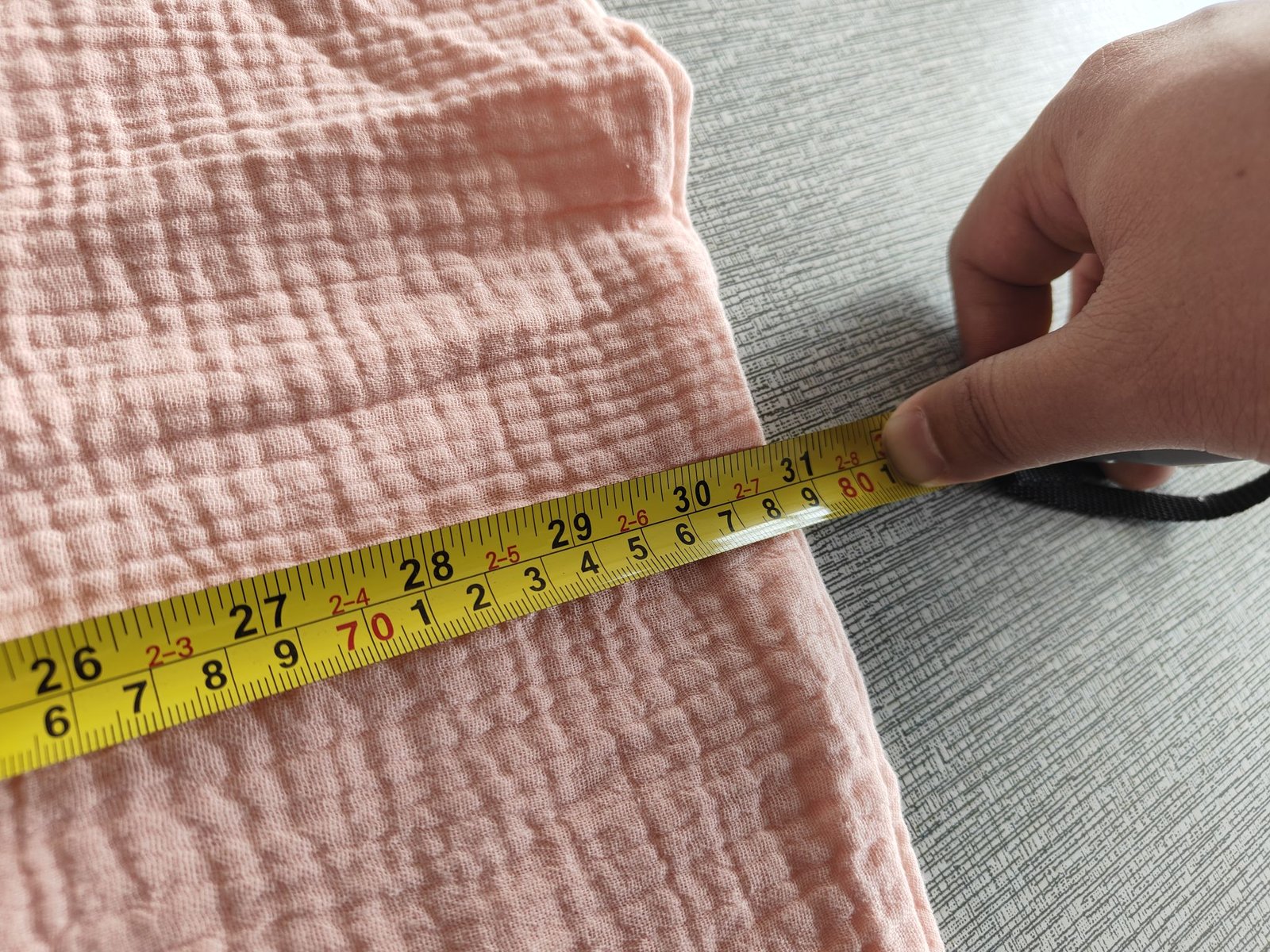
The report is the deliverable. It should let you make a ship/no-ship decision without being at the factory, and it should be specific enough to send to the supplier as a rework instruction.
To start, book an inspection or email info@qualityloyal.com / call +86-18928019798.
Amazon FBA
AQL for Labels, Packaging and FNSKU
On Amazon FBA shipments, label and packaging defects behave differently from product defects: they are binary. A unit with the wrong FNSKU is not "2.5% acceptable" — it is a unit that cannot be received correctly.
QIS can combine AQL sampling with the label and packaging checks that decide whether an FBA shipment is received cleanly:
- FNSKU labels — correct FNSKU for the correct SKU, applied to each unit, positioned as Amazon requires, not obscuring the barcode or the product information.
- Barcode readability — actual scan test, not a visual check. Covered, glossy, curved or low-contrast labels fail in the warehouse even when they look fine.
- Carton labels and shipping marks — FBA box labels, PO/SKU/carton number, correct carton count and Carton Content Label data.
- Carton construction and limits — weight and dimensions within Amazon's limits, cartons sealed and not crushed, no mixed SKUs in a carton unless the plan allows it.
- Polybag requirements — suffocation warning present where required (bags with an opening of 5 in / 12.7 cm or more), bag not sealed with staples, correct barcode visible through or on the bag.
- Retail packaging — artwork version, correct inserts, manuals and warranty cards, "sold as set" or choking-hazard markings where applicable.
- Master carton vs unit packaging match — the unit in the box is the unit on the label.
Practical guidance: treat label and carton errors as Major, and set Critical for anything that creates a safety or compliance exposure (missing warning, wrong age grading, unreadable required marking). Sampling 200 units for label accuracy is cheap compared with a rejected inbound shipment.
If your shipment is FBA-specific, see Amazon FBA inspection in China for the full scope, or browse inspection services.
Avoid
Common AQL Mistakes Worth Avoiding
- Quoting an AQL without a level. "AQL 2.5" alone does not define a plan.
- Applying one AQL to all three classes. Critical 0 / Major 2.5 / Minor 4.0 exists for a reason.
- Letting the factory choose the sample. Random selection is the method.
- Sampling an incomplete lot. Confirm finished quantity first.
- Ignoring labels because "the product is fine." On FBA, labels fail shipments more often than products do.
- Re-inspecting a reworked lot with the same sample. After a fail, sort or rework, then inspect the rework — do not assume the fix landed.
- Treating PASS as zero defects. Read the report; the counts matter, not just the verdict.
FAQ
FAQ
What is AQL in quality inspection?
AQL is the Acceptable Quality Limit — the defect rate a buyer will accept on a lot. It is used with ANSI/ASQ Z1.4 or ISO 2859-1 sampling tables to set the sample size and the number of defects allowed before a lot is rejected.
What AQL should I use for Amazon FBA?
A common starting point is Critical 0, Major 2.5, Minor 4.0 at General Inspection Level II. Tighten the Major AQL for safety-relevant, high-value or high-return-risk products, and treat label and carton defects as Major. The final values are confirmed in the QIS booking form so they match the product and the channel.
What does AQL 2.5 actually mean?
It means the plan tolerates major defects up to an acceptance point of roughly 2.5% of the lot, translated into an Ac/Re pair for your sample size. At code L (200 units), AQL 2.5 gives Ac 10 / Re 11: 10 major defects pass, 11 fail.
What is the difference between Ac and Re?
Ac (acceptance number) is the maximum number of defects allowed in the sample for the lot to pass. Re (rejection number) is the count that fails the lot. In single sampling, Re is normally Ac + 1.
How many units will be inspected for 4,000 units?
At General Inspection Level II, 4,000 units maps to code letter L, which gives a sample size of 200 units. Table A gives the letter; Table B gives the sample size and the Ac/Re numbers.
What happens if the lot fails AQL inspection?
You get a FAIL report with defect counts and photos. Typical next steps are: rework and re-inspect, 100% sort the affected class, negotiate a price adjustment, or reject the lot. The decision is commercial — the report gives you the evidence to make it. QIS can re-inspect after rework.
Is AQL sampling as good as 100% inspection?
No — and it is not meant to be. Sampling estimates whether the lot is within the agreed limits at a fraction of the cost. 100% inspection sorts every unit but is slower and more expensive, and still depends on the defect being detectable. Use sampling for lot-level decisions and 100% for safety-critical, high-value, or post-rework lots.
Can AQL be used for garments, electronics and furniture?
Yes. AQL is product-agnostic; what changes is the defect definition and the checklist. Apparel leans on measurements, seams and color; electronics on function, safety and packaging; furniture on finish, assembly and carton protection. The plan structure stays the same.
Do you check labels and packaging as part of the AQL inspection?
Yes. QIS can combine AQL sampling with FNSKU verification, carton label checks, polybag warning requirements and barcode readability testing, alongside the product checks.
Can I choose different AQL values for different SKUs in one booking?
Yes — AQL values are set per product where the risk differs. A high-value SKU and a low-cost accessory in the same shipment do not need the same plan. Specify this at booking.
How do I book an AQL inspection with QIS?
Use the booking page, or contact info@qualityloyal.com / +86-18928019798 with your SKUs, quantities, factory location and target inspection date. Confirm the inspection level and AQL values in the booking form; the inspector works to that plan.
Book
Book an AQL Inspection in China
Send us the SKU list, the finished quantity and your ship date. We will confirm the inspection level and AQL values with you, run the sample on site, and send a photo report with a clear PASS / FAIL / HOLD outcome — before the goods leave the factory.
Book: qualityloyal.com/booking/
Email: info@qualityloyal.com
Phone / WhatsApp: +86-18928019798
Not sure which level or AQL to use? Send us the product details and we will propose a plan. For the broader scope, see pre-shipment inspection and all QIS services.